The mod now tells you when a new version is out: an alert in the middle of the screen and a link to this site in chat. Can be turned off in Settings.
Home › FishingRoom QoL
FishingRoom QoL
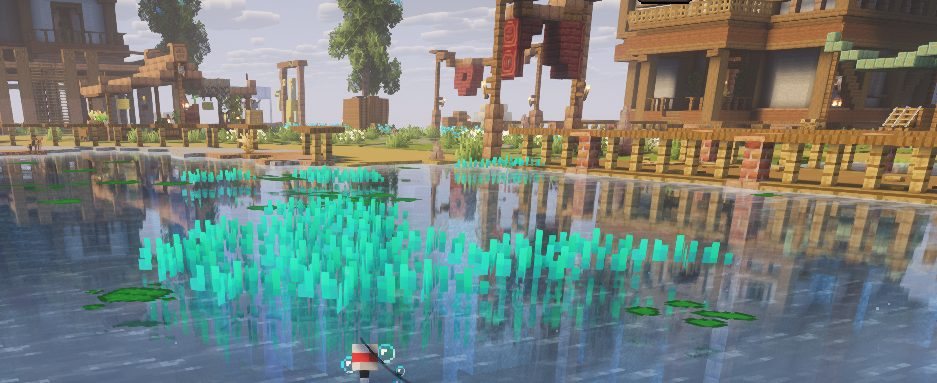
The fishing companion for La Fishing Room. Everything that matters during your session, right where you need it.
Version 1.0.1Minecraft 26.2Fabricmc.lafishingroom.frGPL-3.0
One hub for everything
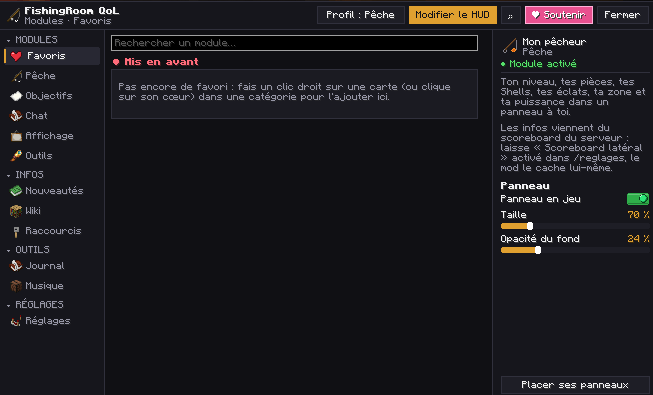
Right Shift opens the hub: each module turns on or off in one click, with its settings next to it. The server wiki, changelog and your journal live there too.
A clean HUD
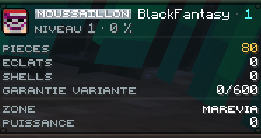
Your level, coins, zone, goals and session in discreet panels you place anywhere with the J key. The server scoreboard is hidden and its info carried over.
And also
Chat and private messages
Tabs above the chat, DM windows with the player’s head, friends list and guild chat.
Contests
Family, zone, time left, the leader, your best catch and your rank in a single panel.
Inventory
Buttons for server commands, rarity markers, richer tooltips, locked slots.
Fishing journal
Your sessions, catch log and discovered species, zone by zone.
Server wiki
La Fishing Room’s zones, quests, contests and commands, readable in game.
Discord status
Your zone and what you’re doing shown on your Discord profile.
Shortcut wheel
Hold V to run your favourite commands in one move.
Server pack kept
The resource pack is no longer downloaded again every time you join.
Installation
- Install FabricFabric Loader for Minecraft 26.2 and Fabric API.
- Download the modFishingRoomQoL-1.0.1.jar (666 KB).
- Put it in modsIn your instance’s mods folder, then start the game.
- Join the servermc.lafishingroom.fr. Right Shift opens the hub, J places your panels.
Changelog
First public release.
FAQ
Discord shows “CurseForge” instead of La Fishing Room?
In CurseForge: Settings › Privacy › untick “Discord Rich Presence”. No need to close CurseForge.
My panels stay empty?
Keep the scoreboard enabled in /reglages: the mod reads it, then hides it and shows its own panels.
Does the mod open menus on its own?
Yes. To keep your panels up to date it reads a few server menus in the background (rod, pet, quests, sales) without showing them. You’re told in chat the first time.
The game won’t start after an update?
Delete the old version of the mod: Fabric won’t start with two versions in the mods folder.