Home › Minerite QoL
Minerite QoL
The all-in-one mod for the Minerite server. Every feature is a module you switch on or off in the hub.
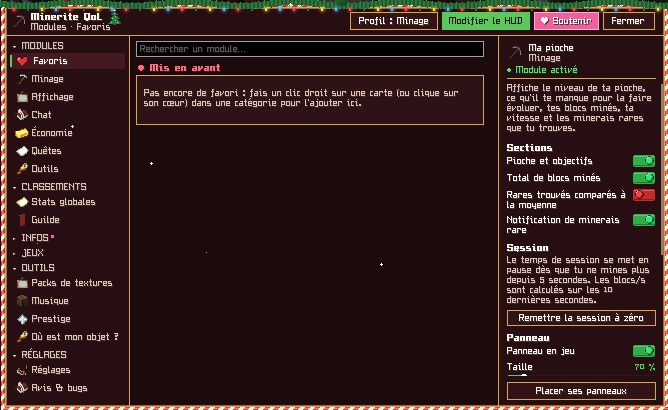
One hub for everything
Right Shift or /qol opens the hub: each module turns on or off in one click, with its settings next to it. Favourites, leaderboards, wiki, resource packs and music live there too.
Two games inside the mod
They give nothing on the server: your real mined blocks count in them, that’s all.
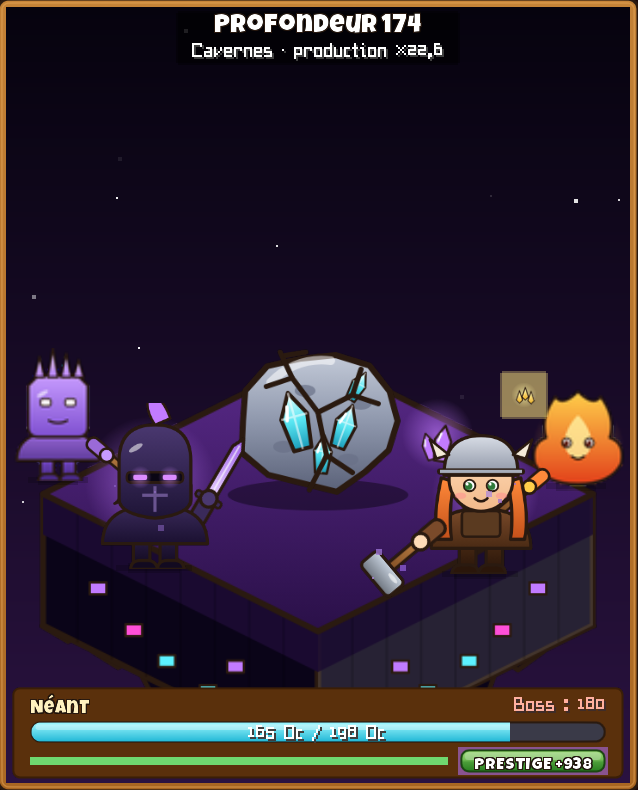
BlokaMine Idle
An endless idle game inside the hub: miners, depth, bosses, Ancients, relics and expeditions.
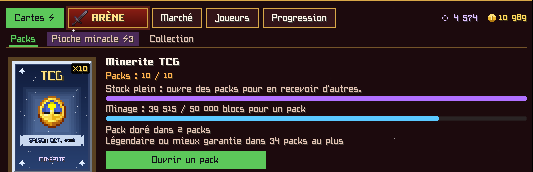
Minerite TCG
Over 1,800 cards to collect, packs earned by playing, trades, duels and a market.
Features
Nothing is forced, everything is adjustable.
Mining
Pickaxe and stats
Pickaxe goals, blocks mined, blocks per hour, rares found and expected.
Pickaxe calculator
What you still need for your goals: ingots, fragments, gold, shulkers and ender chest included.
Prestige and tier
What you need for your next prestige and tier, and the time left.
Serpentine auto-mine
Straight lanes with a camera that turns smoothly. Use it while staying at your screen.
Colour-blind help
The exact name of the rare ore you’re aiming at is written on screen.
Community
Guild boss
Every week your guild fights a boss with the blocks it really mined.
Community stats and challenge
Numbers from every mod player and a shared weekly goal.
Chat
Private messages and friends
One window per DM, groups, tabs, friends notified when they log in.
Wiki and commands
The Minerite wiki in game and every server command one click away.
Votes and reminders
Vote sites in one click, countdown and a reminder when you can vote again.
Discord status
Your Discord profile shows you’re playing on Minerite, with your zone.
Economy, inventory and display
Money and auction house
Money earned while mining, average price on hover, confirmation before every /sellall.
Inventory sorting
A “Sort” button for your inventory and chests: by type, A to Z, amount or rarity.
Locked slots and search
Lock your pickaxe slot, find an item inside your shulkers or /ec.
Themes and movable HUD
One theme per zone, event themes, and every panel goes where you want.
Installation
- Install FabricFabric Loader for Minecraft 26.2 and Fabric API.
- Download the modMineriteQoL-2.1.16.jar (6682 KB).
- Put it in modsIn your instance’s mods folder, replacing any older version.
- Join the serverplay.minerite.fr, then Right Shift or /qol opens the hub.
FAQ
Is the mod allowed on Minerite?
Yes. It’s an unofficial mod, checked by the Minerite staff before every update.
How do I update?
Download the new version here and replace the old file in your mods folder. Never keep two versions at once.